
Cyberattacks on Networks and PCs: Understanding the Threat and Staying Safe

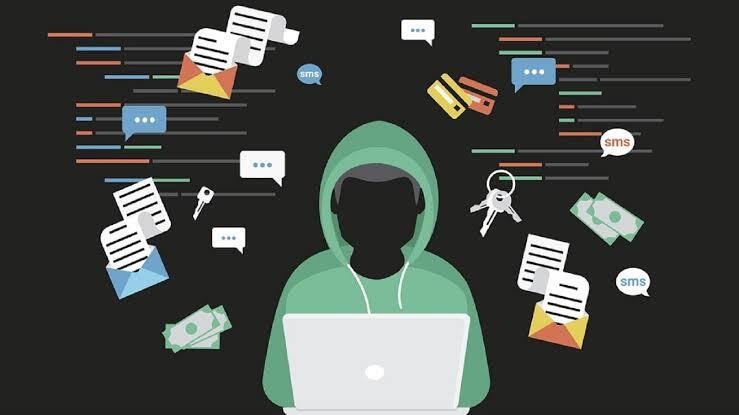
In today’s digital world, computers and networks are essential for communication, education, business, banking, and entertainment. However, this dependence also creates opportunities for cybercriminals. A cyberattack is an attempt to gain unauthorized access to a computer, network, application, or data.
Cyberattacks can affect individuals, companies, schools, and governments. Understanding common attacks is an important first step toward protecting digital information.
What Is a Cyberattack?
A cyberattack occurs when an attacker uses digital technology to steal information, disrupt services, damage systems, or gain unauthorized access. Attackers may target a single personal computer or an entire network.
Some attacks are designed to steal passwords and personal information, while others attempt to make systems unavailable or install malicious software.
Common Attacks on Networks
1. Phishing
Phishing is one of the most common cyber threats. Attackers send fake emails, messages, or websites that appear to come from trusted organizations. The goal is often to trick users into revealing passwords, financial information, or other sensitive data.
For example, a person might receive a message claiming that their account has been locked and asking them to click a link to "verify" their account.
2. Denial-of-Service Attacks
A Denial-of-Service (DoS) attack attempts to make a website or network service unavailable by overwhelming it with requests. A related attack, called a Distributed Denial-of-Service (DDoS) attack, uses many compromised devices to generate traffic.
These attacks can prevent legitimate users from accessing online services.
3. Man-in-the-Middle Attacks
In a man-in-the-middle attack, an attacker attempts to intercept communication between two parties. If communication is not properly protected, sensitive information could potentially be exposed.
Using secure networks, encrypted connections, and trusted websites can help reduce this risk.
4. Password Attacks
Weak or reused passwords can make accounts easier to compromise. Attackers may try stolen passwords, commonly used passwords, or automated techniques to gain access to accounts.
Using unique, strong passwords and multi-factor authentication can significantly improve account security.
Common Attacks on PCs
1. Malware
Malware is malicious software designed to damage systems, steal information, spy on users, or perform other unauthorized activities.
Common types include:
- Viruses – malicious programs that can spread by infecting files or systems.
- Trojans – programs that appear legitimate but contain malicious functionality.
- Spyware – software designed to secretly collect information.
- Ransomware – malware that can prevent access to files or systems and demand payment.
- Worms – malicious programs capable of spreading between systems.
2. Ransomware
Ransomware is particularly dangerous because it can make files or systems inaccessible. Attackers may demand money in exchange for restoring access.
Regular backups, security updates, and caution with unexpected email attachments and links are important defenses.
3. Malicious Downloads
Cybercriminals sometimes disguise malware as useful applications, documents, games, or software updates. Downloading programs from unknown or untrusted sources can therefore put a PC at risk.
Users should obtain software from reputable sources and avoid suspicious downloads.
How Cyberattacks Can Affect People
A successful cyberattack can have serious consequences, including:
- Theft of personal information
- Financial losses
- Loss of important files
- Account takeover
- Business interruptions
- Privacy violations
- Damage to an organization's reputation
The impact depends on the type of attack and the systems involved.
How to Protect Your Network and PC
Good cybersecurity does not require complicated technology in every situation. Basic security practices can prevent many attacks.
Keep Software Updated
Operating systems, browsers, applications, and security software should be updated regularly. Updates often contain fixes for security vulnerabilities.
Use Strong, Unique Passwords
Avoid using the same password for multiple accounts. A password manager can help create and store strong passwords.
Enable Multi-Factor Authentication
Multi-factor authentication (MFA) adds another verification step when logging in. Even if a password is stolen, MFA can make unauthorized access more difficult.
Be Careful With Links and Attachments
Do not automatically trust unexpected emails, messages, links, or attachments. Check the sender and destination before interacting with them.
Use Security Software
Keep reputable antivirus and endpoint-security tools enabled and up to date. A firewall can also help control unwanted network connections.
Back Up Important Data
Maintain regular backups of important files. Backups can be especially valuable if a computer is affected by ransomware or another destructive attack.
Secure Your Wi-Fi Network
Use a strong Wi-Fi password and modern security settings. Avoid sharing network credentials unnecessarily, and be cautious when using unfamiliar public Wi-Fi networks.
Conclusion
Cyberattacks against networks and personal computers are an important part of modern cybersecurity. Attacks such as phishing, malware, ransomware, password attacks, and denial-of-service attacks can cause significant damage when systems are not properly protected.
The good news is that many risks can be reduced through simple habits: keep software updated, use strong passwords and MFA, avoid suspicious links and downloads, secure networks, and maintain reliable backups.
Cybersecurity is not only the responsibility of security professionals. Every computer and internet user has a role to play in keeping digital systems and information safe.